
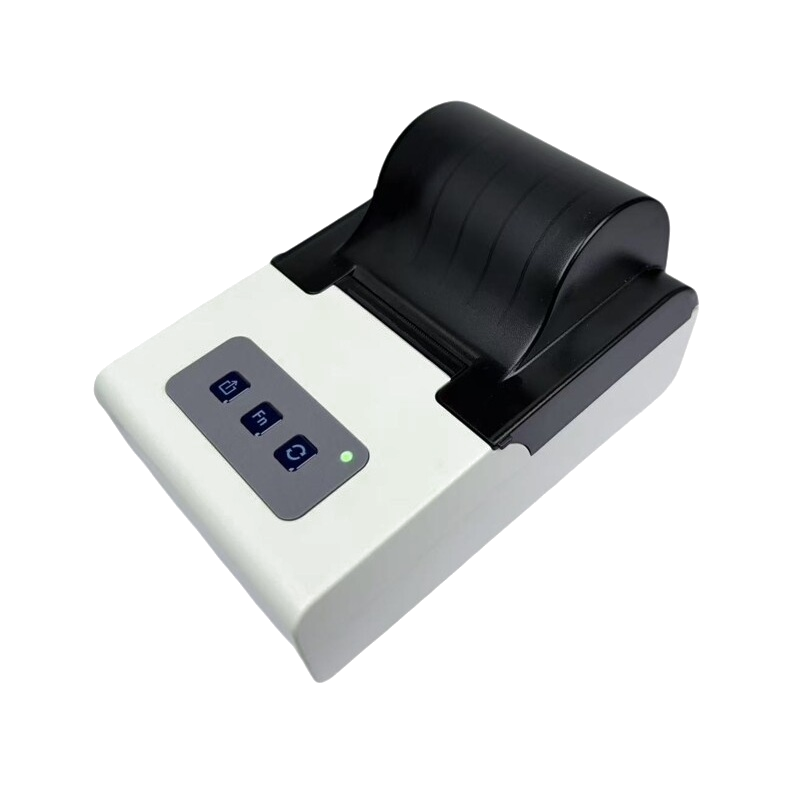
The W1xx Series Laboratory Data Printers deliver fast, traceable weighing documentation for laboratory balances with RS232. Configure modes and headers on the phone; print, feed, and end reports on the device.
When regulations or SOPs require impact printing, ribbon + plain paper helps avoid thermal fade. GLP fields can be toggled; the built-in clock prints date and time on the ticket.
Highlights
- Reduce transcription errors — the balance sends PRINT frames; the printer layouts and prints—less manual copying and rechecking;
- Connect and print — RS232 to common lab balances; after first pairing, print tickets in daily use;
- Setup without a display — no screen; open the config page in the app. 3 keys + RGB LED—steady green means ready to print.
Two models · W100 / W110
| Capability | W100 | W110 |
|---|---|---|
| Single weighing with header, weight, and footer | ✓ | ✓ |
| Raw / verbatim output | ✓ | ✓ |
| Multi-weighing with footer at the end | ✓ | ✓ |
| Tare / gross / net, including multi-line | ✓ | ✓ |
| Statistics, sum, average (up to 999 entries) | — | ✓ |
| Formulation | — | ✓ |
| Sample name and lot on the ticket | — | ✓ |
Get started in 3 steps
Phone: select mode, header/footer, sample fields (W110), pair the balance. Device: print, paper feed, end report.
- Open the app — scan the QR code or select the printer;
- Configure mode — choose mode and header fields;
- Print from balance — when stable, press PRINT on the balance.
Technical data
- Print method — Dot matrix
- Ribbon — EPSON ERC-09 / ERC-22
- Paper width — 57.5 ± 0.5 mm
- Interface — RS232C, DB9
- Wireless setup — 2.4 GHz SoftAP
- Power — DC 12 V / 2.0 A
- Dimensions — approx. 171 × 118 × 98 mm
Balance compatibility: Sartorius · METTLER TOLEDO · OHAUS · Shimadzu · A&D · Shuangjie · LuoLun · Sunny Hengping · Huazhi and other common RS232 print frames (subject to on-site pairing).
Consumables: Ribbon EPSON ERC-09 / ERC-22 · plain paper roll · Printer Connector app setup.
Brochure: Download W1xx brochure PDF (EN v1.1)